Twitter Bots: What They Are, How to Spot Them and How to Stop Spam on X

Racen Dhaouadi
October 21, 2026
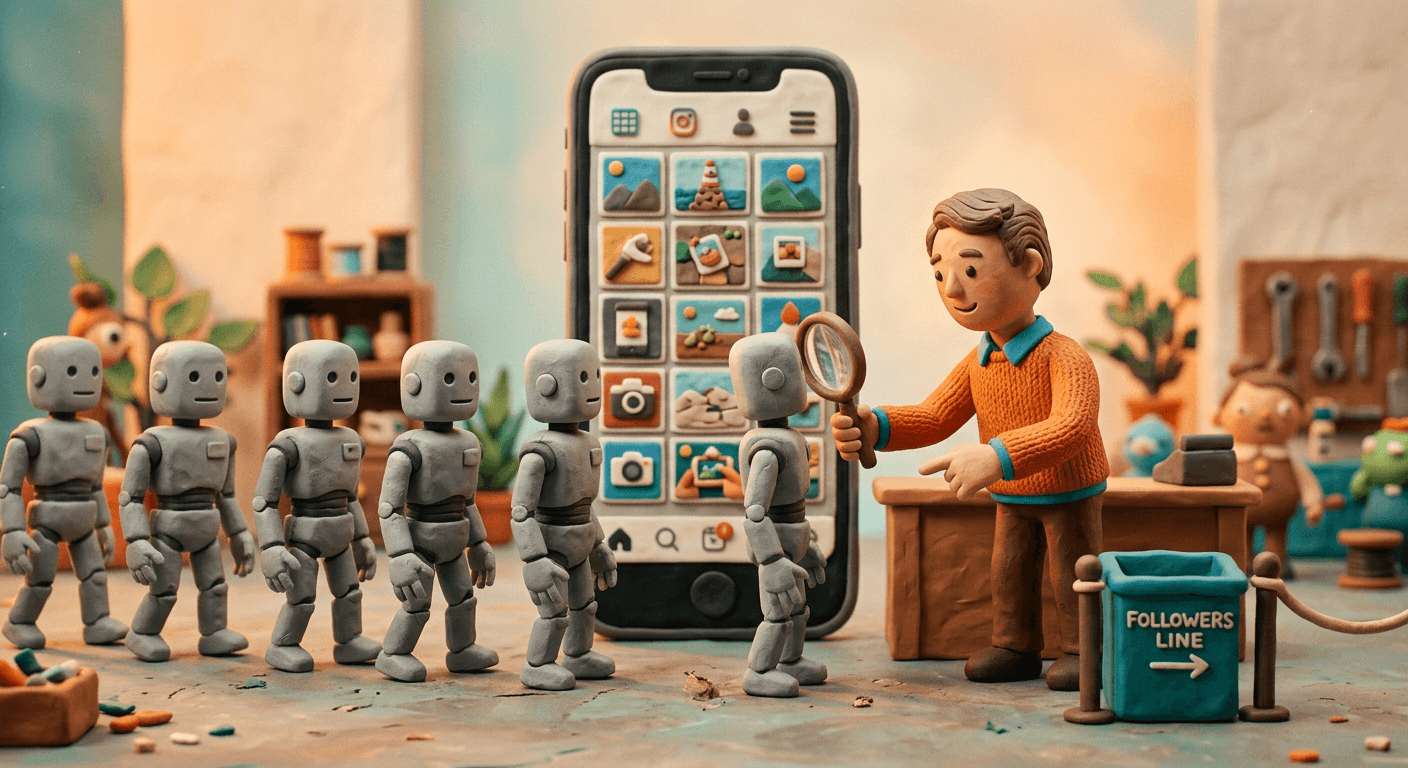
Twitter bots are automated accounts or programs that post, reply, follow, like, repost and send messages on X, formerly Twitter, with no person doing each action. Some post alerts or answer customers under X's automation rules. Others fake popularity, spam replies or run scams.
If you run a brand or creator account on X, you have probably met them: replies under your posts pushing a link, new followers with no posts of their own, message requests from accounts you've never heard of, follower counts that jump and then drop. If you run X ads, bots can see and click those too, which costs money and skews the numbers you use to decide where your budget goes.
This guide covers what Twitter bots are and the main types, why they follow you and reply to you, how to spot one, how to stop spam replies and DMs, how to get rid of them, whether to buy followers, US law, how to check an influencer's audience, how many bots X has, and what bots cost your X ads. For bots in general, start with what bots are. For other platforms, see Instagram bots and TikTok bots.
What Is a Twitter Bot?
A Twitter bot is an account or app that acts on X by itself: it posts, replies, follows, likes, reposts or sends DMs, often in bulk.
X defines it the same way. "Automation on X refers to accounts or apps that take repeated actions without a person actively performing them" (X Help Center). A bot reaches X in one of two ways. The first is a fake account: a profile created by software, with no real person behind it, that does whatever its operator tells it to. The second is a real person's account run by an app or script, which follows, likes and replies on its owner's behalf so that people notice the account.
CISA, the US Cybersecurity and Infrastructure Security Agency, defines social media bots as "automated programs that simulate human engagement on social media platforms" (CISA). It notes that fully automated bots "can be purchased to do simple actions and to give the impression of influence", and it describes semi-automated accounts that a person steers, which it calls "cyborgs" and says are better at evading detection. That's why no single sign gives a bot away.
Not every bot on X is a problem. X's automation rules encourage developers to "build solutions that automatically broadcast helpful information in posts" and to answer people in Direct Messages, and X lets automated accounts carry an Automated label. In X's words, they "perform programmed actions through the X API", like bots that help people find vaccine appointments or disaster early warning systems (X Help Center). Some uses need X's permission first: brands running auto-response campaigns must request approval, and any AI reply bot needs "prior written and explicit approval from X".
Everything else is off limits. The rules ban "non-API-based forms of automation, such as scripting the X website", and X's Terms of Service add that "crawling or scraping the Services in any form, for any purpose without our prior written consent is expressly prohibited" (X). This guide is about the bots that break those rules.
What Are the Main Types of Twitter Bots?
The main types are spam reply bots, DM scam bots, follower and like bots, repost networks, fake personas and automated accounts X allows.
They're easiest to sort by the job they do:
| Type | What it does | Who runs it | Allowed on X? |
|---|---|---|---|
| Spam reply bots | Reply to popular posts with links, offers or off-topic text | Spammers, scammers | No |
| DM scam bots | Send message requests posing as support, prizes or "collabs" | Scammers | No |
| Follower bots | Follow and unfollow in bulk for follow-backs, or deliver bought followers | Growth apps, sellers of fake engagement | No |
| Like, repost and view bots | Inflate the numbers under a post | Sellers of fake engagement | No |
| Repost networks | Repost a "parent" account at once to push a post or hashtag | Influence operations, spammers | No |
| Fake personas | Pose as real people, often with stock, stolen or AI-generated photos | Bot farms, influence operations | No |
| Mass report bots | File false reports in bulk to get an account restricted | Whoever wants a rival gone | No |
| Click farm accounts | Real people paid to follow, like and reply by hand | Click farms | No |
| AI reply bots | Answer posts with AI-written replies | Developers, brands | Only with X's written approval |
| Automated accounts | Post alerts, news or data through X's API | Developers, publishers, brands | Yes |
X's Authenticity policy covers every forbidden row (X Help Center). It bans "unauthorized automation", fake personas using "stock, stolen or AI-generated profile photos", and "sending bulk, aggressive, high-volume unsolicited replies, mentions, or direct messages". It also bans "coordinating with and/or compensating others to conduct account metric inflation" in likes, reposts, views or follows, "follow churn", and submitting "duplicate or false reports in large numbers".
CISA describes two tactics that fit X closely. Repost networks are coordinated bots, a "botnet", that "instantly repost content from a 'parent' Bot". Sleepers "wake up from long periods of dormancy to launch thousands of posts or retweets in a short time".
Fake personas and click farm accounts look alike from the outside but aren't. A bot farm runs fake accounts on devices or servers the operator controls. A click farm pays people to do the same work by hand, which makes them harder to tell from real fans. Our guides to bot farms and click farming cover both.
Why Do Bots Follow You and Reply to Your Posts on X?
Bots follow and reply to get attention: a follow back, a click on a link in a reply or a DM. Being targeted doesn't mean you did anything wrong.
The follow or the reply is a means to an end. The usual reasons:
- To get a follow back. Growth bots follow accounts in bulk, then unfollow the ones that don't follow back. CISA lists this as a sign of a bot: an account that "follows a high number of other accounts to build a following" and may be followed by an almost identical number ("follow for follow"). X bans it as "follow churn" and "indiscriminate following".
- To deliver followers someone paid for. Sellers of fake engagement run networks of accounts that follow whatever account a customer names. The seller delivers to the account it's given, so the buyer isn't always the account's owner.
- To set up a scam. A follow or a reply puts an account in your notifications. A message request comes next. X's rules name the usual scams: relationship-building schemes, "money-flipping schemes", "fraudulent discounts" and "phishing scams".
Why do bots reply to my posts?
Because your posts have readers. A popular post gathers an audience, and a spam reply borrows it to push a link, an offer or another account. X's rules ban "promoting content by replying with content that is irrelevant to the topic of the original post".
X ranks replies rather than showing them in order. It says it considers "if the original post author has replied, if a reply is from someone you follow, or if the person is an X Premium subscriber" (X Help Center). So the order you see depends on more than the reply itself.
What does "Show probable spam" mean?
It's a button at the end of some conversations. X says it "reveals replies that are identified as potentially lower quality and spam, based on factors such as the author's previous behavior and the content of the reply". The replies aren't deleted. They sit behind the button so you can decide whether to view them. Restricting reach, including "downranking the post in replies", is one of the ways X enforces its spam rules.
How Can You Tell if an X Account Is a Bot?
Open About this account to see when it joined and where it's based, then check the photo, handle, bio, posts and follow counts together.
Start with X's own tools. A profile shows the date the account joined, and on public profiles, About this account shows the region or country an account is based in. X "infers this information based on your aggregated IP addresses" (X Help Center), so treat it as a hint rather than proof. An account that claims to be a local small business but is based on another continent deserves a closer look. Accounts that declare themselves bots may carry an Automated label under their name.
Then go through CISA's "How to Spot a Bot" checklist. It was written for every social network, so here is what each sign looks like on X:
| CISA sign | What to check on X |
|---|---|
| Profile image stolen, AI-generated or a cartoon | A default photo, a stock-looking face, or one a reverse image search finds on someone else's profile |
| Username with suspicious numbers or odd capitals | A handle made of a name and a long string of digits |
| Bio with divisive content but little personal information | An empty bio, or only slogans and a link |
| Created recently, or active again after a long silence | A recent Joined date, or years of silence and then a burst of posts |
| Follows a high number of accounts, followed by a near-identical number | Following and follower counts both high and close to each other |
| Coordinated network | Look-alike accounts replying with the same text at the same time |
| Mostly reposts other people's content | A timeline of reposts with no posts of its own |
| Emotional, viral content, spammed hashtags, odd emoji or punctuation | Replies made only of emojis, posts stuffed with trending hashtags |
| Erratic behavior, sudden change of topic or language | Replies in a language that doesn't fit the account |
| Hyperactive, sometimes nonstop | Hundreds of replies a day, around the clock |
Source: CISA, Social Media Bots.
No single sign proves anything. Plenty of real people have a default photo, never post and follow far more accounts than follow them. Several signs together, especially a batch of look-alike accounts arriving or replying at once, are the strongest hint.
How Do You Stop Spam Replies and DMs From Bots on X?
Limit who can reply, keep the quality filter on, mute repeated words and links, limit DM requests and hide or report the spam that gets through.
X's settings are built for what bots leave behind:
| Problem | X setting | Where to find it |
|---|---|---|
| Spam replies under a post | Choose who can reply: Everyone, Accounts you follow, Only verified accounts or Only accounts you mention | The globe icon in the compose box, or the post's More menu, then Change who can reply |
| A spam reply already posted | Hide reply | The icon on the reply |
| Spam in your notifications | Quality filter, which hides "duplicate posts or content that appears to be automated" | Notifications, Settings |
| Notifications from throwaway accounts | Advanced filters: new accounts, default profile photos, no confirmed email or phone, accounts that don't follow you | Notifications, Settings, Advanced filters |
| The same words or links again and again | Muted words | Notifications settings |
| Spam message requests | Allow requests from everyone, or only from verified users and people you follow | Settings and privacy, Privacy and safety, Direct Messages |
| Low-quality message requests | Quality filter for message requests (on by default in the apps) | Message settings, Privacy |
| A scam or fake profile | Report it, or use X's impersonation form if it poses as you or your brand | X's in-app reporting flow |
Sources: X Help Center on conversations, notifications and Direct Messages.
A few details matter. You can change who can reply after you post, so you can open a post to everyone and tighten it when a spam wave arrives. Limiting replies doesn't stop people liking or reposting, and quote posts don't inherit your restriction. A hidden reply stays reachable behind a hidden-reply icon, and its author isn't told. The quality filter in notifications is on by default if you're new to X or reinstall the app, and it doesn't filter people you follow or accounts you've recently interacted with.
A few habits that work alongside the settings:
- Feed muted words from your own replies. Add the words, links and handles that keep turning up in bot replies.
- Tighten replies during a wave. Switch a busy post to Accounts you follow for a while, then open it again.
- Report, don't reply. Report scam replies, messages and profiles, and block accounts that keep coming back.
How Do You Get Rid of Bots on X?
Block bot accounts, since X says blocked accounts can't follow you, and report fake and scam profiles. X also drops accounts it locks.
Blocking removes a bot follower. X says "accounts you have blocked cannot follow you", and they can't reply to your posts, like them or send you Direct Messages (X Help Center). To block, open the More menu on a post or on the profile, tap Block and confirm. Blocked accounts aren't notified, though they see the block if they visit your profile.
For fake and scam profiles, report them through X's in-app reporting flow so X can act on the account, not only on your view of it. An account pretending to be you or your brand goes through X's impersonation form.
X also removes bots on its own. When it detects suspicious activity, it can lock an account and ask for "a phone number" or a puzzle before it can be used again, and a locked account "is removed from follower counts, Reposts, and Likes" (X Help Center). That's one reason a follower count can drop overnight without anyone unfollowing.
Should you remove them? For a brand account, yes. A bot follower adds to the count but not to the audience. It never buys anything, and anyone who checks your account, from a brand partner to your own monthly report, sees engagement that looks weaker than your real audience earns.
Should You Buy Followers or Use a Follow Bot on X?
No. X bans buying engagement and follower apps, removes locked accounts from follower counts, and a US rule bans buying fake followers.
Follower packages, like bots and auto-follow tools are easy to find, and many are sold as free. Here's what they buy you:
| What it changes | What happens |
|---|---|
| Follower count | Goes up, until X locks or suspends the accounts. Locked accounts are removed from follower counts |
| Your account | Bulk following and unfollowing is "follow churn". X can lock the account, limit its reach or suspend it |
| Engagement rate | Falls, unless the fakes also like and reply, because the same real engagement is spread over more followers |
| Sales | None. Fake followers don't buy |
| Account security | Tools that act through your account need access to it, and X holds you "ultimately responsible" for the apps you authorize |
| X's rules | Paying others to inflate likes, reposts, views or follows is banned. So are apps "that claim to get users more followers" |
| US law | Buying fake followers you know are fake, to misrepresent your influence for a commercial purpose, breaks an FTC rule |
X's automation rules also bar following or unfollowing "in a bulk, aggressive, or indiscriminate manner". And the followers a bot adds will never read your posts, so a brand learns nothing from them about what its real audience wants.
Is buying followers on X illegal?
It can be. The FTC's rule on consumer reviews and testimonials, in force since October 21, 2024, covers social media too (FTC). It makes it unlawful for anyone to "purchase or procure fake indicators of social media influence that they knew or should have known to be fake and that materially misrepresent their influence or importance for a commercial purpose" (16 CFR 465.8). Fake indicators include followers, likes, views and reposts "generated by bots", and selling them is banned as well.
So a brand or creator that buys followers to look bigger to customers or sponsors isn't only wasting money. It may be breaking the rule. Bot farms explains how the followers are made.
Are Twitter Bots Legal?
A bot that follows X's automation rules is legal. Selling or knowingly buying fake followers breaks an FTC rule, and X bans both of them.
No US law bans bots as such. What a bot is used for decides it:
| What you do | X's rules | US law | Example |
|---|---|---|---|
| Post alerts, news or data from an automated account | Allowed, with an Automated label available | Legal | Disaster early warning accounts |
| Auto-reply to people who asked, or answer DMs with a bot | Allowed for people who opted in. Brand auto-response campaigns and AI reply bots need X's approval | Legal. In California, a bot must not mislead people about being a bot to get them to buy | Customer service |
| Collect data from X with bots | Banned without X's written consent | Depends on the case. X's terms add damages of $15,000 per million posts accessed in a day | |
| Run follow, like or reply bots on your own account | Banned: unauthorized automation, follow churn | The main risk is to the account | Locks, reach limits, suspension |
| Buy fake followers, likes or views | Banned: account metric inflation | FTC rule, 16 CFR 465.8, when knowingly bought to misrepresent influence for a commercial purpose | |
| Sell fake followers, likes or views | Banned | The same FTC rule, the FTC Act and state law | FTC v. Devumi and New York's Devumi settlement, 2019 |
| Run fake personas for a foreign government | Banned: fake personas | Sanctions law (IEEPA) and money laundering laws | 968 X accounts searched by the Justice Department, 2024 |
The best-known US cases about fake followers are Twitter cases. In 2019 the FTC settled with Devumi, a company that had filled "more than 58,000 orders for fake Twitter followers" and also sold YouTube views and LinkedIn followers. The FTC called it its "first-ever complaint challenging the sale of fake indicators of social media influence", and the order set a $2.5 million judgment against Devumi's owner, suspended on payment of $250,000 (FTC). New York's attorney general got there first, in January 2019: a settlement "First in the Country to Find that Selling Fake Followers and 'Likes' Is Illegal Deception", covering fake accounts on platforms including Twitter, YouTube and LinkedIn (New York Attorney General).
Bots on X have also drawn a federal case of a different kind. In July 2024 the Justice Department seized two domains and searched 968 X accounts used by an AI-enhanced bot farm that created "fictitious social media profiles", often posing as Americans, to spread Russian government messages. X "voluntarily suspended the remaining bot accounts identified in the court documents" (Justice Department). We found no FTC, Justice Department or state case aimed at fake engagement on X since the 2019 Devumi settlements, as of October 2026.
California adds a disclosure rule. Section 17941 of its Business and Professions Code makes it unlawful to use a bot to talk to a person in California online while misleading them about its artificial identity, to get them to buy something or to influence a vote. A bot that clearly says it's a bot is in the clear, so introduce your chatbot as automated. Our guide to what bots are covers the other US laws that apply to bots.
This section is a summary for marketers, not legal advice.
How Do You Check an Influencer's Audience on X?
Compare replies, likes and reposts with followers, read the replies, sample followers, check About this account and judge the link by its sales.
This is where Twitter bots reach a marketing budget directly. A brand that pays a creator by audience size can end up paying for followers who don't exist. Five checks before you sign:
| What to check | A real audience | A bought audience |
|---|---|---|
| Replies, likes and reposts against followers | In line with similar accounts of the same size | A big following that barely reacts |
| The replies themselves | Specific to the post, from accounts with posts of their own | Generic praise, emoji strings, links, the same line under every post |
| A sample of followers | Real people with photos, posts and their own followers | Many accounts that fail the bot checks above |
| About this account | A join date and country that fit the creator's story | A recent join date, or a country that doesn't fit |
| Traffic from their link | Visits that look at pages and sometimes buy | Visits that leave at once and never buy |
Ask the creator for screenshots of their own X analytics for recent posts. A creator with a real audience has no reason to hide them.
Free fake-follower checkers give a percentage, but it's their own estimate, made with their own method. Use it as a reason to look closer, not as proof.
The last row of the table is the one you control. Give each creator a link with UTM tags and judge them by the visits and sales that link brings, not by the follower count. Bots never buy, so a link that brings visits and no sales is worth a closer look. Our guide to detecting bot traffic shows the checks to run in GA4.
Bot visits make good campaigns look worse than they are. Run the free GA4 check for a directional read on how much of your traffic is real. Read-only, nothing to install.
How Many Bots Are on X?
Twitter last estimated in 2022 that fewer than 5% of its daily users were false or spam accounts. X now publishes suspensions, not a share.
The last official estimate comes from Twitter's final quarterly report to the SEC, for April to June 2022: "We have performed an internal review of a sample of accounts and estimate that the average of false or spam accounts during the second quarter of 2022 represented fewer than 5% of our mDAU during the quarter" (Twitter Form 10-Q).
Read it with the limits Twitter stated:
- It's an estimate from a sample. Twitter said "we applied significant judgment" and that "the actual number of false or spam accounts could be higher than we have estimated."
- It counts daily users who could see ads, not every account. mDAU, monetizable daily active users, were accounts that "logged in or were otherwise authenticated and accessed Twitter" through its apps or website able to show ads.
- It's from 2022. It predates X's change of ownership, and X hasn't published a newer one.
- It counts accounts, not ad clicks. It says nothing about how many clicks on your X ads, or visits to your site, come from bots.
That estimate sat at the center of Elon Musk's purchase of Twitter. On July 8, 2022, his lawyers wrote that he was terminating the merger agreement, saying Twitter hadn't given him the data to "make an independent assessment of the prevalence of fake or spam accounts on Twitter's platform" (Musk's letter, SEC filing). The deal closed anyway on October 27, 2022 (Twitter Form 8-K), and as a private company X no longer files reports with the SEC.
What X publishes now is enforcement. Its latest Global Transparency Report, for July to December 2024, shows 335,675,897 accounts suspended for platform manipulation and spam, all but about 183,000 of them by automated systems (X Transparency Center). Read that one with its limits too:
- It counts suspensions, not bots. It shows what X caught in six months, not how many bots are active today.
- Spam isn't only bots. X defines platform manipulation as "bulk, aggressive, or deceptive activity", whether a script or a person runs the accounts.
- It counts accounts, not ad clicks.
Other percentages you'll see online come from researchers' samples, which use different methods and dates, or from companies that sell bot protection. The numbers that matter for you are your own: how many of your followers fail the checks above, and how much of the traffic your X ads send is real.
What Do Twitter Bots Cost Your X Ads?
A bot that sees or clicks your X ad costs an impression or a click, depending on how you pay. X publishes no promise to refund invalid clicks.
Everything above is about your account. This part is about your budget.
Do you pay for bot clicks on X ads?
X's advertising terms say "you will pay for all engagements, impressions, and/or clicks ... on your X Ads that we deliver", and "our measurements are the definitive measurements under the Agreement and will be used to calculate your charges" (X Ads terms). Disputes about charges "must be submitted to us in writing within sixty (60) days", and X's billing help says that if its team "does not identify any billing or technical errors upon investigation", it can't process a refund (X Business).
Google and Meta both state that the invalid clicks they find aren't billed. As of October 2026, we found no X Ads help page or term that says the same. So the bots that reach your ads cost you whatever your campaign is billed for (X Business):
| Campaign objective | What you pay for | What a bot costs you |
|---|---|---|
| Reach | Impressions (CPM) | The impression it was shown, whether or not it clicks |
| Video views | Impressions (CPM) or video views (CPV) | The impression or the view |
| Website traffic | Impressions (CPM) by default, or link clicks (CPC) | The impression, or the click if you chose to pay by link clicks |
| Engagements | Engagements, including clicks, reposts, replies and likes | Each engagement it makes |
| App installs | App clicks | The click |
The Website traffic row is the one to check first. When you set up the ad group, "Pay by Impressions" is the default option, and "Pay by Link Clicks" is the alternative (X Business). On impressions, you pay for every bot the ad is shown to, click or no click.
Where do X ad clicks show up in GA4?
X routes the links in posts through its own link service: "Links shared on X ... will automatically be processed and shortened to an http://t.co link", and you can't opt out (X Help Center). GA4's list of social sources includes t.co, twitter and twitter.com, but not x or x.com (Google Analytics Help, list of sources and categories). So where an X ad visit lands depends on your UTM tags:
- With UTM tags that name twitter as the source and use a medium GA4 reads as paid, the visit counts as Paid Social. GA4's rule is a social source plus a medium matching
^(.*cp.*|ppc|retargeting|paid.*)$, and its channel definitions "aren't case sensitive". - With
utm_source=x, the source isn't on GA4's social list, so a paid medium puts the visit in Paid Other, not Paid Social. Use twitter as the source. - Without UTM tags, a visit that arrives through t.co counts as Organic Social, and one with no referrer lands in Direct.
- A bot that never runs your tags never shows up in GA4 at all, even when its impression or click was billed.
X can also add its own click ID, the twclid, to your landing page URL. The X Pixel "automatically passes twclid from URL or first-party cookie" to measure conversions (X Business). GA4's channel rules don't read it. Our guide to GCLID and other click IDs explains how click IDs work on Google, Meta and Microsoft.
What do bots do to your X ad results?
- They never buy. A purchase needs a payment. Every bot visit is a session with no sale, so your conversion rate falls and your cost per purchase rises by the cost of the bot traffic. A bot's click never takes credit for a customer's purchase either: it's a separate visit.
- They can fire early-step goals. Once the X Pixel is on your site, X creates Site Visit and Landing Page View events automatically, and the Site Visits goal on a Website traffic campaign relies on X Pixel events. A bot that runs your tags fires those events, so X can count it as a result and bid for more traffic like it.
- They skew your tests. Two ads compared on conversion rate are compared on polluted samples if bots reach one more than the other.
| In your X ad data | Do bots do it? |
|---|---|
| Cost you money | Yes: an impression, a view, an engagement or a click, depending on how you pay |
| Show up as Paid Social in GA4 | Only if your ad URLs carry UTM tags with twitter as the source and a paid medium. Untagged, they land in Organic Social or Direct |
| Lower your conversion rate and raise your cost per purchase | Yes. Every bot session is a visit with no sale |
| Fire Site Visit, Landing Page View or add-to-cart events | Yes, when they run your tags |
| Buy, or take credit for a sale | Never |
Illustrative: at $1 a link click, 500 bot clicks cost $500 and add nothing to sales.
What should you check?
- Tag every X ad URL with
utm_source=twitterand a paid medium such aspaid_social, so the visits land in Paid Social where you can see them. - Check how each Website traffic ad group pays. If it pays by impressions, every bot that sees the ad is billed. Judge it by sales, not reach.
- Compare link clicks with Paid Social sessions from twitter, campaign by campaign. A campaign that sends far fewer sessions than clicks, or sessions that leave in a second, deserves a look.
- Compare placements by sales, not clicks. Website traffic ads can run in home timelines, profiles, search results and replies. Test them in separate ad groups, and pause the one that keeps sending clicks and no sales over enough traffic.
- Watch patterns, not single visits: bursts at hours your customers are asleep, cities you don't target, visits with no engagement.
For the industry's terms, see what click fraud is and what invalid traffic is. Our guide to click bots shows how fake clicks are made, and ad fraud prevention covers the settings on each ad platform.
Bot clicks inflate your CPA and hide which X campaigns really sell. Hyperguard scores every visit while it happens and shows bot share by source and campaign, so you can put your budget on the campaigns that really sell and keep bots out of your analytics and ad pixels. Run the free GA4 check first, then see how Hyperguard works.
Frequently asked questions
- How do you tell if a Twitter user is a bot? +
- Look at the profile first: a default, stolen or AI-generated photo, a handle followed by a long string of digits, an empty bio and a recent join date. Then look at what it does: the same reply posted under many posts, a timeline made only of reposts, or thousands of accounts followed. About this account shows where X thinks it's based. One sign proves nothing. Several together are a strong hint.
- What percentage of Twitter is bots? +
- Nobody outside X can say, and X publishes no current share. Twitter's last official estimate, in 2022, was that false or spam accounts were fewer than 5% of its logged-in daily users who could see ads, and it warned the real number could be higher. X now publishes suspensions instead: 335,675,897 accounts for platform manipulation and spam from July to December 2024.
- Is X getting rid of bots? +
- X suspends and restricts accounts that break its rules on automation and spam. Its latest transparency report counts 335,675,897 accounts suspended for platform manipulation and spam from July to December 2024, almost all by automated systems. It also locks suspicious accounts until they pass a check such as a phone number, and locked accounts drop out of follower counts. The bots it misses still reach replies and inboxes.
- Why does Twitter say "Show probable spam"? +
- It's a button under some posts that reveals replies X has identified as potentially lower quality and spam. X says it judges them on factors such as the author's previous behavior and the content of the reply. The replies aren't deleted. X keeps them behind the button so you can decide whether to read them.
- Are bot accounts illegal? +
- Not in themselves. An automated account that follows X's automation rules, such as one that posts alerts, is legal and allowed. What a bot is used for decides it. In the US, selling fake followers, or knowingly buying them to misrepresent your influence for a commercial purpose, breaks an FTC rule, and California bans bots that hide being bots to sell something or sway a vote. This is not legal advice.
- Are Twitter bots profitable? +
- For the people who sell fake engagement, until they're caught. Devumi filled more than 58,000 orders for fake Twitter followers before the FTC and the New York Attorney General settled with it in 2019. For the accounts that buy them, no. X bans paying for follows, likes, reposts and views, removes locked accounts from follower counts, and fake followers never buy anything.
- Can bots be traced to your IP? +
- Not by you. X doesn't show who runs an account or which IP addresses it uses. Its About this account panel shows the country or region an account is based in, which X infers from the account's aggregated IP addresses, so treat it as a hint rather than proof. If an account is impersonating you or running a scam, report it to X.
- What social media has the most bot accounts? +
- No one can say reliably. Platforms don't publish bot counts that can be compared: X reports suspensions, Meta estimates violating accounts across all its apps, and TikTok reports removals. Outside estimates use different samples and methods. For an advertiser the useful question is narrower: how much of the traffic your own social ads send is real.
Related articles
What Are Bots? Types, Examples and What They Do Online
A bot is software that does tasks online on its own. The main types, good vs bad bots, social media bots, how to spot one, and what bots do to your ad data.
TikTok Bots: What They Are, How to Spot Them and How to Get Rid of Them
TikTok bots are automated accounts that follow, like and comment in bulk. How to spot and remove them, why buying views backfires, and what they cost your ads.
Instagram Bots: What They Are, Why They Follow You and How to Stop Them
Instagram bots are automated accounts that follow, like, comment and DM in bulk. Why they target you, how to spot and remove them, and what they cost your ads.
Bot Farms Explained: How They Work, What They Cost, and the Law
A bot farm is a network of phones, servers or paid workers that fakes clicks, views and accounts. How they work, what they cost, US law, and how to spot them.
How to Detect Bot Traffic on Your Website and in GA4
Bot traffic shows up as zero-engagement visits, odd spikes and paid clicks that never buy. How to find it in GA4 and your logs, and why GA4's filter misses it.