Instagram Bots: What They Are, Why They Follow You and How to Stop Them

Racen Dhaouadi
October 20, 2026
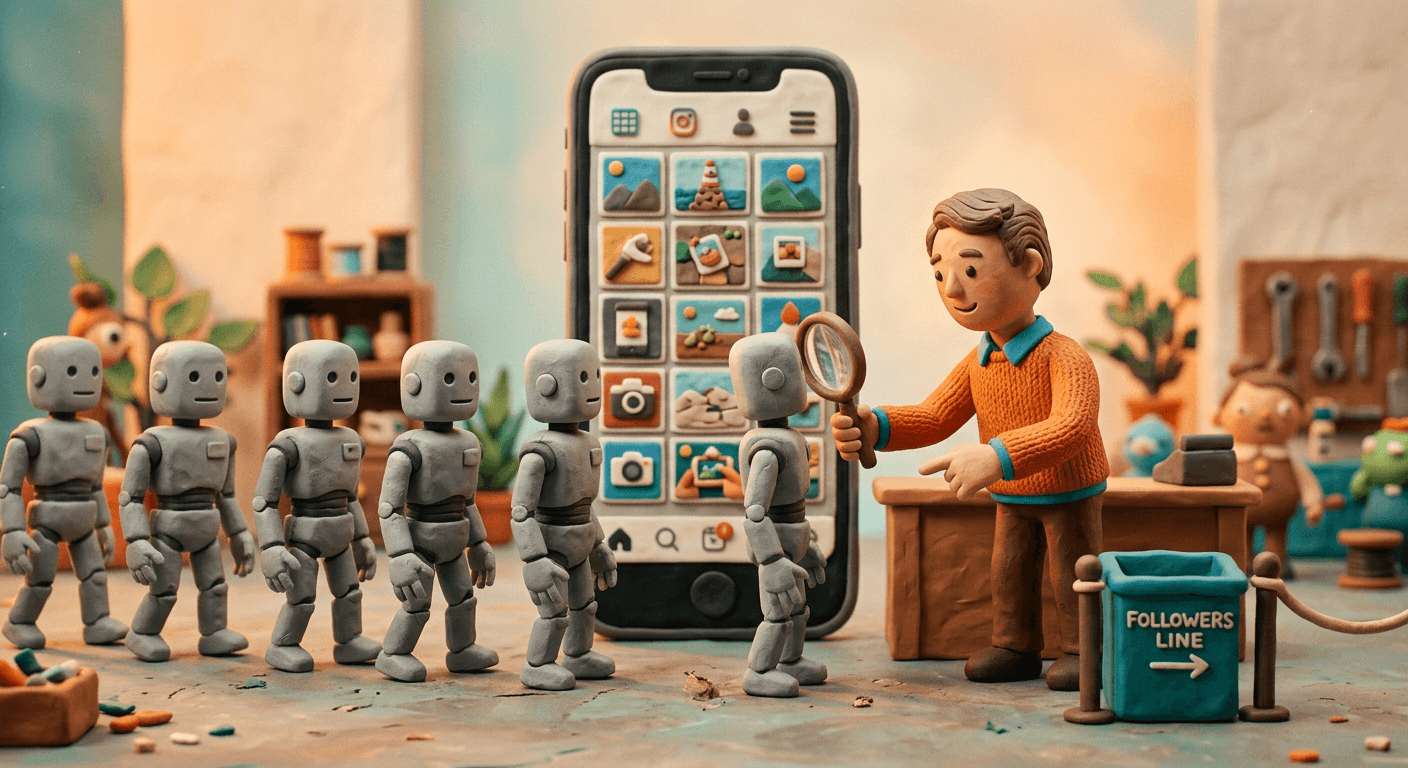
Instagram bots are automated accounts or apps that follow, like, comment, view stories and send messages on Instagram with no person doing each action. Some answer customer messages through tools Meta allows. Others fake popularity, spam people or run scams.
If you run a brand account, you have probably met them: new followers with no posts, generic comments under every photo, strangers at the top of your story viewers, message requests offering a "collab". If you run Instagram ads, bots can click those too, which costs money and skews the numbers you use to decide where your budget goes.
This guide covers what Instagram bots are and the main types, why they follow you, how to spot and remove them, how to stop spam comments and DMs, whether to buy followers, US law, how to check an influencer's audience, how common bots are, and what they cost your Instagram ads. For bots in general, start with what bots are; for TikTok, see TikTok bots.
What Is an Instagram Bot?
An Instagram bot is an account or app that acts on Instagram by itself: it follows, likes, comments, views stories or sends DMs, often in bulk.
A bot gets onto Instagram in one of two ways. The first is a fake account: a profile created by software, with no real person behind it, that does whatever its operator tells it to. The second is a real person's account run by an app. A growth service logs into the account and follows, likes and views stories on its owner's behalf, so that people notice the account and look at it.
Instagram has fought the second kind for years. In November 2018 it began "removing inauthentic likes, follows and comments from accounts that use third-party apps to boost their popularity", using machine learning tools to find them (Instagram). It also named the catch for users: "People who use these types of apps share their username and password."
CISA, the US Cybersecurity and Infrastructure Security Agency, defines social media bots as "automated programs that simulate human engagement on social media platforms" (CISA). It also describes semi-automated accounts that a person steers, which it calls "cyborgs" and says are better at evading detection. That's why no single sign gives a bot away.
Not every bot on Instagram is a problem. Businesses use Meta's official tools to answer messages and comments automatically. Meta's Instagram API lets business and creator accounts connect an app that "supports messaging, media publishing, comment management, mentions, and insights" (Meta for Developers). Those bots are allowed. This guide is about the others.
What Are the Main Types of Instagram Bots?
The main types are fake follower accounts, growth bots run from real accounts, spam and scam bots, comment and like bots, and business chatbots.
They're easiest to sort by the job they do:
| Type | What it does | Who runs it | Allowed on Instagram? |
|---|---|---|---|
| Fake follower accounts | Follow the accounts whose owners paid for followers | Sellers of fake engagement | No |
| Growth bots | Follow, unfollow, like and view stories from a real account to win attention back | The account owner, through a third-party app | No |
| Spam and scam bots | Leave links and offers in comments, send DMs, push fake login pages | Scammers | No |
| Comment and like bots | Post generic comments or likes in bulk, often sold in packages | Sellers of fake engagement, growth apps | No |
| Click farm accounts | Real people paid to follow, like and comment by hand | Click farms | No |
| Business chatbots | Answer DMs and comments with set replies | Businesses, through Meta's official API | Yes |
Meta's rules cover every forbidden row. Its Spam policy applies to Instagram as well as Facebook, Messenger and Threads. It bans "posting, sharing, engaging with content or creating accounts, Groups, Pages, Events or other assets, either manually or automatically, at very high frequencies", and "attempting to or successfully selling, buying, or exchanging for engagement, such as likes, shares, views, follows, clicks" (Meta Transparency Center). Instagram's Terms of Use add that you can't create accounts or access or collect information "in an automated way without our express permission" (Instagram).
Click farms do by hand what bots do by script, which makes them harder to tell from real fans. Our guide to click farming shows how they work, and bot farms covers the automated operations that sell followers by the thousand.
Why Are Bots Following Me on Instagram?
Bots follow you to get a follow back, to deliver followers someone paid for, or to set up a scam. Being followed by one doesn't mean you bought it.
The follow is a means to an end. The usual reasons:
- To get a follow back. Growth bots follow accounts in bulk, often in one niche, hoping some follow back. CISA lists this as a sign of a bot: an account that "follows a high number of other accounts to build a following" and may be followed by an almost identical number.
- To deliver followers someone paid for. Sellers of fake engagement run networks of accounts that follow whatever account a customer names. When Meta sued two of these services in 2020, it said both used "a network of bots" to deliver likes and followers to their customers' Instagram accounts (Meta). The seller delivers to the account it's given, so the buyer isn't always the account's owner.
- To set up a scam. A follow puts a scam account in your notifications. The comment or message comes next: a fake collaboration offer, a prize, or a link to a page that asks for your login.
Instagram's spam filter holds back the follows it judges to be spam. Accounts that are likely to be spam "can't follow you without your confirmation": they wait in a separate Potential spam list among your followers (Instagram Help). If you didn't buy them, you haven't done anything wrong, and you can clear them out in a few taps, as the section on removing them shows.
Why do bots like my posts and watch my stories?
For the same reason they follow: attention. A like or a story view puts the bot's name in front of you, and some people tap through to see who it is. Growth apps use this to pull visitors back to the account that runs them, and scam accounts use it before they send a message.
Meta's Spam policy covers this too. Engaging with content "manually or automatically, at very high frequencies" isn't allowed, and Meta says it "may place restrictions on accounts that are acting at lower frequencies when other indicators of Spam (e.g., posting repetitive content) or signals of inauthenticity are present." Block or report the accounts that keep coming back.
How Can You Tell if an Instagram Account Is a Bot?
Open About this account to see when it joined, then check the photo, username, posts and follow counts. Several red flags together are the tell.
Start with Instagram's own tool. Open the account's profile and go to About this account. It shows (Instagram Help):
- Date joined, the date the account was created.
- Former username count: how many times the username has changed, but not the old names. Instagram says this "may help identify whether an account is authentic or misleading."
- Account based in, for some accounts: "the country location based on an account's activity."
An account a week old that already follows thousands of people, or one that has changed its name several times, deserves a closer look.
Then go through CISA's "How to Spot a Bot" checklist. It was written for every social network, so here is what each sign looks like on Instagram:
| CISA sign | What to check on Instagram |
|---|---|
| Profile image stolen, AI-generated or a cartoon | No photo, a stock-looking face, or one a reverse image search finds on someone else's profile |
| Username with suspicious numbers or odd capitals | A first name followed by a long string of digits |
| Bio with little personal information | An empty bio, or only a link and emojis |
| Created recently, or active only recently | Date joined in About this account |
| Follows a high number of accounts, followed by a near-identical number | Following and follower counts both in the thousands, close to each other |
| Coordinated network | A batch of similar new followers arriving on the same day |
| Mostly reposts other people's content | No original posts, or photos that turn up on other accounts |
| Emotional, viral content, spammed hashtags, odd emoji patterns | Captions stuffed with hashtags, comments made only of emojis |
| Erratic behavior, sudden change of topic or language | Posts that jump between unrelated topics or languages |
| Hyperactive, sometimes nonstop | The same short comment left on post after post |
Source: CISA, Social Media Bots.
No single sign proves anything. Plenty of real people have no profile photo or rarely post. Several signs together, especially a batch of look-alike accounts arriving at once, are the strongest hint.
How Do You Remove Bot Followers on Instagram?
Tap your follower list, open Potential spam and choose Remove all spam followers. Then turn on Filter spam followers so new ones need your approval.
Instagram has a built-in tool for this (Instagram Help):
- Go to your profile and tap your follower list.
- Tap Potential spam. Tap Confirm to approve an account, or Delete to deny it.
- To clear the whole list, tap Remove all spam followers, then Remove. Instagram says: "We won't tell them that they've been removed from your followers."
- To keep new ones out, tap Menu, then Settings and privacy, then Followers, and turn on Filter spam followers.
With the filter on, accounts Instagram judges likely to be spam can't follow you until you confirm them. Bots it misses can be removed one at a time from your follower list, or blocked.
Should you remove them? For a brand account, yes. A bot follower adds to the count but not to the audience. It never buys anything, and unless it likes and comments, it lowers your engagement rate, because that rate divides likes and comments by followers. Anyone who checks your account, from a brand partner to your own monthly report, sees a weaker number than your real audience earns.
| Problem | Instagram setting | Where to find it |
|---|---|---|
| Bot followers already on your account | Potential spam, then Remove all spam followers | Your follower list |
| New spam accounts following you | Filter spam followers | Settings and privacy, then Followers |
| Spam and scam comments | Hide unwanted comments (on by default) and your own list of custom words and phrases | Settings, How others can interact with you, Hidden Words |
| Spam message requests | Hide unwanted message requests (off by default), which moves them to your spam folder | Settings, How others can interact with you, Hidden Words |
| Who can comment at all | People you follow, your followers, or both | Settings, How others can interact with you, Comments |
| A scam or fake profile | Report it for scam, fraud or spam, or for pretending to be someone else | The profile's menu |
How Do You Stop Spam Comments and DMs From Bots?
Turn on Hide unwanted comments and Hide unwanted message requests, add the words spam bots use to Hidden Words, and report scam accounts.
Instagram's Hidden Words settings are built for what bots leave behind (Instagram Help):
- Hide unwanted comments is on by default and hides comments with common offensive words, phrases or emojis.
- Hide unwanted message requests sends message requests that "may contain scams or offensive words, phrases or emojis" to your spam folder. It's off by default, so turn it on.
- Custom words and phrases hides comments and message requests containing any word, phrase, number or emoji you add to the list.
You'll find all three in Settings, under How others can interact with you, then Hidden Words. Hidden comments still count in your comment total, and the person who sent one isn't told it was hidden.
A few habits that work alongside the settings:
- Feed Hidden Words from your own comments. Add the words that keep turning up in bot comments, such as "collab", "promote" or the handle a scam keeps pushing.
- Tighten comments during a wave. You can limit comments to people you follow, your followers, or both, and open them again later.
- Report, don't reply. Report scam profiles and comments for scam, fraud or spam. Reports are anonymous, except for intellectual property claims (Instagram Help).
- Never hand over your password. Growth apps that promise followers often ask for it. Instagram warned in 2018 that sharing it "makes these accounts less secure", and told users who got its warning to change their password.
Should You Buy Instagram Followers?
No. Meta's rules ban buying followers and likes, Instagram removes fake engagement, and a US rule bans buying fake followers to look influential.
Follower packages and growth bots are easy to find and cheap. Here's what they buy you:
| What it changes | What happens |
|---|---|
| Follower count | Goes up, until Instagram removes the fake engagement it finds |
| Engagement rate | Falls, unless the fakes also like and comment, because the same likes and comments are divided by more followers |
| Sales | None. Fake followers don't buy |
| Account security | Growth apps often ask for your password. Instagram says that "makes these accounts less secure" |
| Instagram's rules | Buying engagement breaks Meta's Spam policy |
| US law | Buying fake followers you know are fake, to misrepresent your influence for a commercial purpose, breaks an FTC rule |
The last row is the one marketers tend to miss. The FTC's rule on consumer reviews and testimonials, in force since October 21, 2024, covers social media too (FTC). It makes it unlawful for anyone to "purchase or procure fake indicators of social media influence that they knew or should have known to be fake and that materially misrepresent their influence or importance for a commercial purpose" (16 CFR 465.8). Fake indicators include followers, likes, views and comments "generated by bots", and selling them is banned as well.
So a brand or creator that buys followers to look bigger to customers or sponsors isn't only wasting money. It may be breaking the rule. Meta's fight with sellers points the same way, as the next section shows. Bot farms explains how the followers are made.
Are Instagram Bots Legal?
A business chatbot is legal. Buying or selling fake followers to fake influence breaks an FTC rule, and California bars bots posing as people to sell.
No US law bans bots as such. What a bot is used for decides it:
| What you do | Instagram and Meta rules | US law | Example |
|---|---|---|---|
| Answer messages with a chatbot built on Meta's API | Allowed | Legal. In California, a bot must not mislead people about being a bot to get them to buy | Customer service and order updates |
| Run a growth bot on your own account | Breaks Instagram's Terms and Meta's Spam policy | The main risk is to the account | Instagram has removed growth-app engagement since 2018 |
| Buy fake followers or likes | Breaks Meta's Spam policy | FTC rule, 16 CFR 465.8, when knowingly bought to misrepresent influence for a commercial purpose | |
| Sell fake followers or likes | Breaks Meta's Spam policy | The same FTC rule, and the FTC Act | Meta's 2020 lawsuits; FTC v. Devumi, 2019 |
Meta has taken sellers to court. In October 2020 it filed federal lawsuits against four people behind two services, boostgram.com in New York and instant-fans.com in Dubai, which used "a network of bots" to deliver Instagram likes and followers (Meta). In 2019 the FTC settled with Devumi, a company that had filled more than 58,000 orders for fake Twitter followers and also sold YouTube views and LinkedIn followers. The order set a $2.5 million judgment against its owner, suspended on payment of $250,000 (FTC).
California adds a disclosure rule. Section 17941 of its Business and Professions Code makes it unlawful to use a bot to talk to a person in California online while misleading them about its artificial identity, to get them to buy something or to influence a vote. A bot that clearly says it's a bot is in the clear, so introduce your chatbot as automated. Our guide to what bots are covers the other US laws that apply to bots.
This section is a summary for marketers, not legal advice.
How Do You Check an Influencer for Fake Followers?
Compare followers with real likes and comments, read the comments, check About this account, and ask the creator for their own Instagram insights.
This is where Instagram bots reach a marketing budget directly. A brand that pays a creator by audience size can end up paying for followers who don't exist. Five checks before you sign:
| What to check | A real audience | A bought audience |
|---|---|---|
| Likes and comments against followers | In line with similar creators of the same size | Far below them: a big following that barely reacts |
| The comments themselves | Specific to the post, from accounts with posts of their own | Generic praise, emoji strings, the same line on every post |
| A sample of followers | Real people with photos, posts and their own followers | Many accounts that fail the bot checks above |
| About this account | A join date and location that fit the creator's story | A recent join date, several name changes, a country that doesn't fit |
| Traffic from their link | Visits that look at pages and sometimes buy | Visits that leave at once and never buy |
Ask the creator for screenshots of their own Instagram insights for recent posts. Professional accounts can see their account data in Instagram, and a creator with a real audience has no reason to hide it.
Free fake-follower checkers give a percentage, but it's their own estimate, made with their own method. Use it as a reason to look closer, not as proof.
The last row of the table is the one you control. Give each creator a link with UTM tags and judge them by the visits and sales that link brings, not by the follower count. Bots never buy, so a link that brings visits and no sales is worth a closer look. Our guide to detecting bot traffic shows the checks to run in GA4.
Want a directional read on how much of your traffic is real? Run the free GA4 check. Read-only, nothing to install.
How Common Are Bots on Instagram?
Instagram publishes no bot share. Meta's own estimate covers all its apps: less than 5% of daily active people were violating accounts in early 2026.
Instagram doesn't publish what share of its accounts are bots. The closest official figure is Meta's, and it covers all of Meta's apps together, Instagram included: "In Q1 and Q2 2026, we estimated that less than 5% of our worldwide daily active people (DAP) measured across our family of apps, consisted solely of violating accounts" (Meta Transparency Center).
Read it with the limits Meta states in its annual report (Meta Form 10-K for 2025):
- It includes bots, but isn't only bots. Meta defines violating accounts as accounts "intended to be used for purposes that violate our terms of service, including bots and spam."
- It's an estimate from a sample. It rests on "an internal review of a limited sample of accounts", and Meta says "the actual number of violating accounts may vary significantly from our estimates."
- The method changed recently. Meta updated it in the fourth quarter of 2025 and says the higher estimate that followed came from that update.
- It counts accounts, not ad clicks. It says nothing about how many clicks on your Instagram ads, or visits to your site, come from bots.
Meta also says its systems "block millions of attempts to create fake accounts every day and detect millions more, often within minutes after creation". Blocked attempts never become accounts, so they aren't in the figure.
Other percentages you'll see online come from companies that sell follower audits or bot protection, measured on their own samples. The numbers that matter for you are your own: how many of your followers sit in Potential spam, and how much of the traffic your Instagram ads send is real.
What Do Instagram Bots Cost Your Ads?
A bot that clicks your Instagram ad costs an impression or a click unless Meta flags it invalid. Without UTM tags GA4 files it as Organic Social.
Everything above is about your account. This part is about your budget. Instagram ads run on Meta's ad system, and Meta lists bots among the sources of invalid clicks.
Do you pay for bot clicks on Instagram ads?
Meta counts "clicks generated through prohibited means, such as fake accounts, bots, scrapers, browser add-ons" as invalid, and says "You will not be charged for clicks that are determined to be invalid" (Meta Business Help).
The bot clicks Meta doesn't catch cost you according to your ad set's charge choice, which Meta describes as "what event you want to cause money to be removed from your budget" (Meta Business Help):
- Charged for impressions: you paid when the ad was shown, so the impression behind the bot's click was billed. Some objectives allow only this, and a new ad account must spend its first $10 on impressions.
- Charged for link clicks: the bot's click is billed like any other.
Where do bot clicks show up in GA4?
That depends on your ad URLs, because GA4's channel rules don't read Meta's click ID, the fbclid (Google Analytics Help):
- With UTM tags that name a social source and a medium GA4 reads as paid, such as
utm_source=instagramandutm_medium=paid_social, the visit counts as Paid Social. GA4's rule is a social source plus a medium matching^(.*cp.*|ppc|retargeting|paid.*)$. - Without UTM tags, a visit that arrives from instagram.com or l.instagram.com, both on GA4's list of social sources, counts as Organic Social.
- With no referrer and no tags, it lands in Direct.
- A bot that never runs your tags never shows up in GA4 at all, even though its click was billed. That's one reason Ads Manager link clicks and GA4 sessions rarely match.
Our guide to GCLID and other click IDs compares how Google, Meta and Microsoft tag ad clicks.
What do bots do to your Instagram ad results?
- They never buy. A purchase needs a payment. Every bot visit is a session with no sale, so your conversion rate falls and your cost per purchase rises by the cost of the bot clicks. A bot's click never takes credit for a customer's purchase either: it's a separate visit.
- They can fire early-step goals. A bot that runs your tags can fire a landing page view, a ViewContent event or an add to cart. If one of those is an ad set's goal, such as a Traffic campaign optimized for landing page views, Meta counts the bot as a result and bids for more traffic like it.
- They skew your tests. Two ads compared on conversion rate are compared on polluted samples if bots reach one more than the other.
| In your Instagram ad data | Do bots do it? |
|---|---|
| Cost you money | Yes, an impression or a click depending on your charge choice, unless Meta finds the click invalid |
| Show up as Paid Social in GA4 | Only if your ad URLs carry UTM tags. Untagged, they land in Organic Social or Direct |
| Lower your conversion rate and raise your cost per purchase | Yes. Every bot session is a visit with no sale |
| Fire landing page views, ViewContent or add to cart | Yes, when they run your tags |
| Buy, or take credit for a sale | Never |
Illustrative: at $1.50 a link click, 400 bot clicks Meta misses cost $600 and add nothing to sales.
What should you check?
- Tag every Instagram ad URL with UTM parameters whose medium GA4 reads as paid, so the visits land in Paid Social where you can see them.
- Compare Ads Manager's Link clicks with Paid Social sessions from Instagram, campaign by campaign. A campaign that sends far fewer sessions than clicks, or sessions that leave in a second, deserves a look.
- Compare results by placement: Instagram Feed, Stories and Reels. A placement that keeps sending clicks and no sales over enough traffic is the first to cut.
- Watch patterns, not single visits: bursts at hours your customers are asleep, cities you don't target, visits with no engagement.
For the industry's terms, see what click fraud is and what invalid traffic is. Our guide to click bots shows how fake clicks are made, and Facebook and Meta ad fraud covers the checks inside Ads Manager.
Cut the Instagram campaigns that send bots and put that budget into the ones that really sell. Hyperguard scores every visit while it happens and shows bot share by source and campaign, so you know which ones to cut. Run the free GA4 check first, then see how Hyperguard works.
Frequently asked questions
- How do I remove spam followers on Instagram? +
- Go to your profile, tap your follower list, then tap Potential spam. You can confirm or delete each account there, or tap Remove all spam followers, and Instagram won't tell them they were removed. To keep new ones out, open Settings and privacy, tap Followers and turn on Filter spam followers, so accounts that look like spam can't follow you without your approval.
- Should I delete bot followers on Instagram? +
- Yes, in most cases. A bot follower adds to your count but not to your audience: it never buys, and it makes your engagement rate look lower than it is, because that rate divides likes and comments by followers. Removing accounts from your Potential spam list doesn't notify them, and your follower count then reflects real people.
- Why are bots suddenly following me on Instagram? +
- A wave of bot follows comes from automation, not from anything you did. Growth apps follow accounts in bulk hoping for a follow back, sellers deliver followers someone paid for, and scam accounts follow before they send a message. Someone else can also buy followers for your account. Instagram holds accounts that look like spam in a Potential spam list, so you can delete them in one go.
- How can you tell if a bot follows you on Instagram? +
- Open the account and tap About this account to see when it joined and how often its username changed. Then look for the signs CISA lists: a stolen or AI-generated photo, a username full of numbers, an empty bio, few or no posts, and far more accounts followed than followers. One sign proves nothing. Several together, on an account that arrived with others like it, are a strong hint.
- Should I buy Instagram followers? +
- No. Meta's rules ban buying or selling engagement such as follows and likes, and Instagram removes fake engagement it finds. Growth apps often ask for your password, which puts the account at risk. In the US, an FTC rule bans buying followers you know are fake to misrepresent your influence for a commercial purpose. And fake followers never buy anything, so they add nothing to sales.
- Will Instagram remove fake followers? +
- Yes, over time. Instagram files accounts that look like spam into a Potential spam list you can clear, and Meta removes fake accounts under its inauthentic behavior rules. Since 2018 Instagram has also removed likes, follows and comments made through third-party growth apps, using machine learning to find the accounts that use them. Meta has also sued sellers of fake Instagram likes and followers.
- How common are bots on Instagram? +
- Instagram doesn't publish a figure for its own app. Meta estimates that in the first half of 2026, less than 5% of the daily active people across all its apps were violating accounts, which it defines to include bots and spam. Meta says the estimate rests on a limited sample and could be off significantly. It counts accounts, not ad clicks, so it says nothing about the traffic your ads receive.
- Can you trace a fake Instagram account? +
- Only partly. Instagram doesn't reveal who runs an account, but About this account shows when it joined, how many times its username changed and, for some accounts, the country it's based in. A reverse image search can show whether its photo was taken from someone else. You can report a profile for scam, fraud or spam, or for pretending to be someone else, and reports are anonymous.
Related articles
What Are Bots? Types, Examples and What They Do Online
A bot is software that does tasks online on its own. The main types, good vs bad bots, social media bots, how to spot one, and what bots do to your ad data.
Bot Farms Explained: How They Work, What They Cost, and the Law
A bot farm is a network of phones, servers or paid workers that fakes clicks, views and accounts. How they work, what they cost, US law, and how to spot them.
Click Farms Explained: How Click Farmers Work, What They Cost and the Law
A click farm pays people to click ads, like posts and write fake reviews by hand. How click farmers work, US law, and how to spot their clicks in your ads.
How to Detect Bot Traffic on Your Website and in GA4
Bot traffic shows up as zero-engagement visits, odd spikes and paid clicks that never buy. How to find it in GA4 and your logs, and why GA4's filter misses it.
What Is a GCLID? Google's Click ID and What It Tells You
A GCLID is the click ID Google Ads adds to your landing page URL. What it does, how to find it, GBRAID and WBRAID, and its role in invalid click claims.